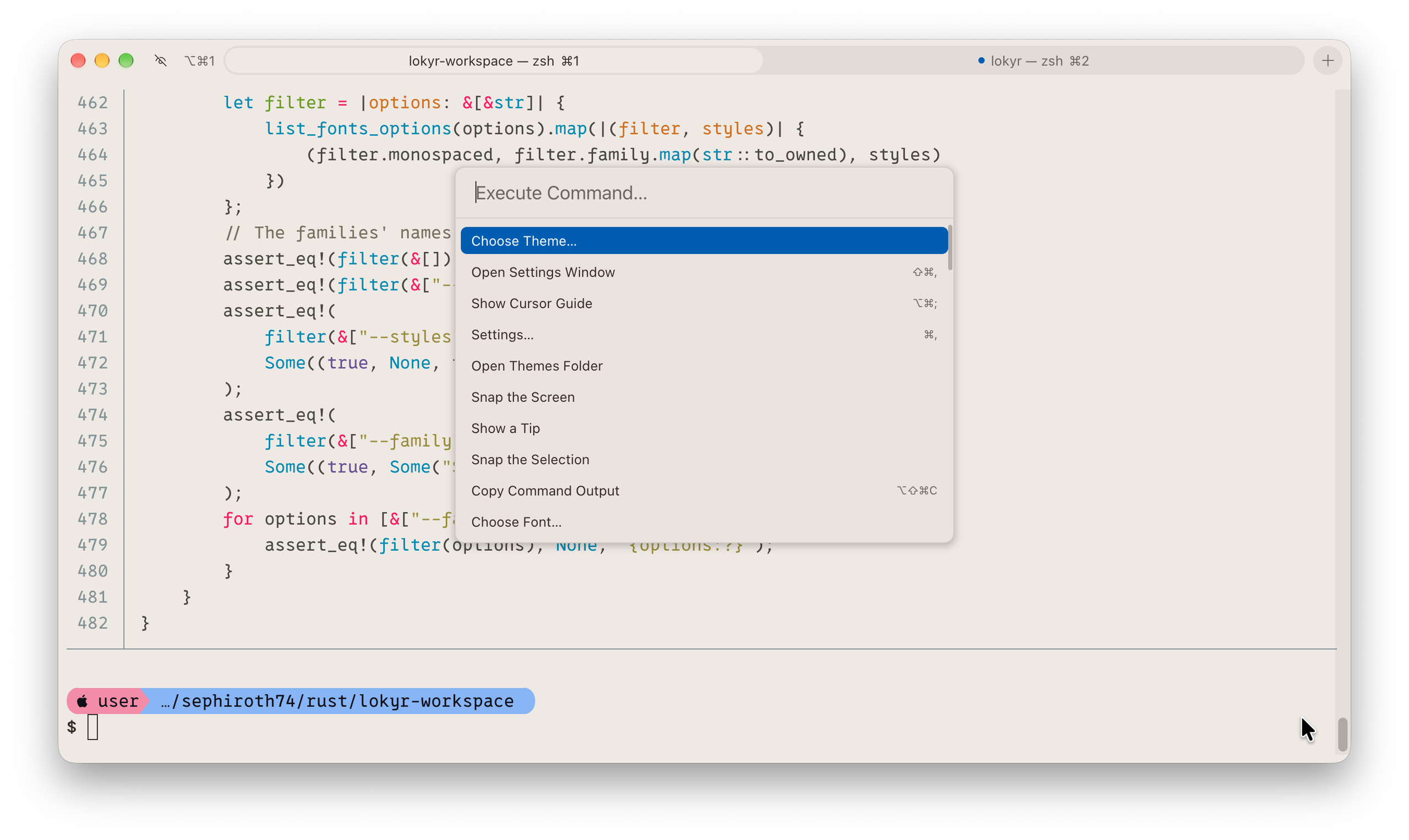
I’d like to introduce Lokyr, a terminal emulator for macOS I started a little more than a month ago.
I spend most of my day in a terminal, and over the years I’ve tried practically all of them: Terminal.app, iTerm2, Alacritty, kitty, WezTerm, Ghostty, and probably a few more I don’t even remember. Every one of them had something I liked, but none of them had everything I wanted, at least not all together.. so I always ended up going back and forth between two or three of them.
So I thought: why not make my own? Writing a terminal emulator from scratch is not exactly a small project (and honestly I know a little about it), so I decided to make it an experiment in vibe coding too: I described what I wanted, an AI agent wrote the code, and my job was to use it every day, test it, measure it and ask for changes until it worked the way I wanted.
The result is Lokyr.
What it is
Lokyr is written in Rust and it’s native on macOS: an AppKit window, Metal for the rendering, CoreText for the fonts.
The idea behind it is a small core, the terminal itself (the screen, the input, the rendering), with everything else as a plugin. The tab bar, the splits, the search and the command palette are all plugins, built on the same API that third party plugins get, so if you don’t need one of them you can just turn it off.
Third party plugins are written in Luau and run in a sandbox: each plugin has to declare what it wants to access (the screen, the clipboard, files, the network) and Lokyr asks you before the first use. They are installed with Sleip, Lokyr’s own package manager.
Some of the other things I wanted, which are already there:
- tabs at the top, at the bottom or on a side, and split panes
- shell integration for zsh, bash and fish: jump between prompts, the outcome of each command, a notification when a long command ends
- a quick terminal that slides in from an edge of the screen with a global shortcut
- tabs that show what the AI agent inside them is doing (Claude Code, Codex, Gemini CLI): working, waiting for you, or done
- themes, and since version 1.2.0 a theme editor in the settings window
- a TOML config file, applied as soon as you save it
Performance was one of the goals since the beginning, so every change is measured against the previous builds and against six other terminals. Lokyr does better on some measures and not on others: all the numbers are in the repository.
Install
Lokyr requires macOS 26 or later on Apple Silicon. You can download the DMG from the website, or install it with Homebrew:
brew install --cask sephiroth74/tap/lokyrAfter that, Lokyr updates itself.
It’s open source (MIT license) and it’s still a work in progress, so there’s a lot more on my list.
For more information and download:
Share with...