
Panoramic 360 with Papervision3d

Just before leaving for holidays I did a little test using papervision3d again, but then I forgot to post the result here…

Being able to parse 3dmax collada files and apply texture to its 3d objects I thought that with is probably the best and easiest way to create simple image panoramic viewer.

I first downloaded a trial of 3d Studio Max,  then I created a simple sphere (see the image) and attached an image as texture.
You can see here a screenshot of the resulting 3d object:

The next step is to download and install collada export for 3dsmax from Feeling Software and export the 3ds scene as collada file.

Now in flash create a new fla file with the same image used in the 3ds max file in library. Then just tell papervision to load the .dae file and associate the library image to the sphere object. You don’t have to worry about anything else 🙂

Here the script I used in the as:

package
{
import flash.display.*;
import flash.events.*;
import flash.geom.*;
import flash.ui.*;
import org.papervision3d.scenes.*;
import org.papervision3d.objects.*;
import org.papervision3d.cameras.*;
import org.papervision3d.materials.*;
import org.papervision3d.events.*;
public class main extends Sprite
{
private var container:Sprite;
private var scene:Scene3D;
private var camera:FreeCamera3D;
private var rootNode:DisplayObject3D;
private var DaeMaterials:Object;
private var center:Point;
private var rotating:Boolean;
private static var MAX_X_ROTATION:int = 12;
private var keyRight :Boolean = false;
private var keyLeft :Boolean = false;
private var keyForward :Boolean = false;
private var keyReverse :Boolean = false;
public function main()
{
center = new Point(0,0);
this.addEventListener( Event.ENTER_FRAME, loop3D );
this.addEventListener( MouseEvent.MOUSE_DOWN, mouseDownHandler);
this.addEventListener( MouseEvent.MOUSE_UP, mouseUpHandler);
init3D();
}
private function mouseDownHandler(evt:MouseEvent):void
{
center.x = container.mouseX;
center.y = container.mouseY;
rotating = true;
}
private function mouseUpHandler(evt:MouseEvent):void
{
rotating = false;
}
private function init3D():void
{
this.container = new Sprite();
addChild( this.container );
this.container.x = stage.stageWidth/2;
this.container.y = stage.stageHeight/2;
this.scene = new Scene3D( this.container );
camera = new FreeCamera3D();
camera.x = 0
camera.z = 0
camera.zoom = 1;
camera.focus = 200;
DaeMaterials = new Object();
var bmpMaterial:BitmapAssetMaterial = new BitmapAssetMaterial( "greece.jpg" );
//var testMaterial:WireframeMaterial = new WireframeMaterial(0x000000, 100);
//testMaterial.doubleSided = true;
bmpMaterial.doubleSided = true;
DaeMaterials.mymaterial = bmpMaterial;
rootNode = scene.addChild( new DisplayObject3D( "rootNode" ) );
rootNode.addCollada( "sphere.dae", new MaterialsList( DaeMaterials ) );
}
private function loop3D( event :Event ):void
{
var sphere:DisplayObject3D = this.rootNode.getChildByName( "Sphere01" );
if(sphere){
if(rotating){
camera.rotationY += (container.mouseX - center.x)/25
camera.rotationX -= (container.mouseY - center.y)/25
if(camera.rotationX > main.MAX_X_ROTATION) camera.rotationX = main.MAX_X_ROTATION
if(camera.rotationX < -main.MAX_X_ROTATION) camera.rotationX = -main.MAX_X_ROTATION } } this.scene.renderCamera( camera ); } } }
SoundMixer with Papervision3d & ImageProcessing

Recently I’ve joined the papervision3d mailing list and started to make some little test with 3ds max exported files just to see how it works and its performances.
There are various demos around the net about papervision and all of them are really impressive. Unfortunately my skills with 3D studio max are less than zero and so I could test only with basic objects..

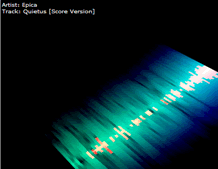
BTW, after I’ve discovered also this great library (ImageProcessing) I decided to make a test with both the libraries together to create some effects to be used in a SoundMixer movie.

Here the result of my experiment: Main.html

Once the music starts click on the stage with mouse to change the visualization effect.
There are 6 different effects.
For the papervision objects I used these .dae files: cube.dae, plane.dae and sphere.dae ( download them )

AMFPHP 1.9 beta 2 – so fassssssst

On 26th January Patrick posted about the new amfphp beta which, thanks to the Emanuele Ruffaldi‘s php module (you can get the binary and source files here), seems to be “ridiculously faster“.

I had 5 minutes today for testing it. Just a simple test with an array of 1,000 objects and using ServiceCapture in background to see the performance differences between the older amfphp version and this one.
The new amfphp version gave me these results (I has to say I had many other programs running in background…):

Type: amf
This request bundled all of the following service calls:
amfphp.getList()
Request: 697 bytes
Response: 15968 bytes
Total: 16665 bytes
Response Time: 0.19 seconds

while the older one:

Type: amf
This request bundled all of the following service calls:
amfphp.getList()
Request: 697 bytes
Response: 16967 bytes
Total: 17664 bytes
Response Time: 0.541 seconds

So, incredible faster 🙂
This new beta comes with onther features such as gzip support, better recordset support and ByteArray support… but I strongly suggest to read the full article on Patrick’s blog here:
http://www.5etdemi.com/blog/…/amfphp-19-beta-2-ridiculously-faster/

Oh my, Flex3 already on the way?

Today I started reading in various blog about the prerelease program of Flex3!
Ted Patrick blogged about the most important Flex3 feature “Flex 3.0 targets the release version of Flash Player 9 and will be widely deployable to over 90% of computers” (so, linux isn’t included here?)

Also Ben Forta speaks about the new Flex3 and  put the link for the online prerelease program application form.
So, what we can expects from this new Flex3 and when its release is scheduled?

Flex 2.0.1 for linux
I want also to put a link to a this site, a chinese guy who put together flex 2.0.1 for linux.. well, not sure about the legal aspect of this thing, but this demonstrate it is possible (sure, it’s eclipse, we already know that!) and so how long we have to wait for an official one?

Install FlashTracer on Linux

Recently Adobe released the final version of flash player 9 for Linux, fortunately thay also released the linux debug version, so the Flash Tracer extension can be installed now on linux too.

First of all Download the Linux debugger and standalone players and install it.
Then download flashtracer.xpi (updated version for linux only) and install (usually download and then drag on FF).

Restart Firefox and open the FlashTracer panel using Tools->Flash Tracer.
Browse to a flash website with some traces enabled and you should alreay see some text in the panel. Otherwise set in the flash tracer option the output file to this folder:

/home/{username}/.macromedia/Flash_Player/Logs/flashlog.txt

* replace {username} with your account name.
Now I can see all the traces (and lot of warnings, more than on Windows) on my Firefox in Ubuntu.

Actionscript parsing experiences: PyBison & PLY

My experiments with text-parsing continue..

PyBison
Last day I founded a python library (pybison) which runs the generated python parser at near the speed of C-based parsers, due to direct hooks into bison-generated C code.
Cool, unfortunately I couldn’t compiled it for Windows and so I made my test on Ubuntu only. What I did was just to export the already written lexer/grammar using bison2py (boundled with pybison) and run it.

If you want to take a look at the python parser try it by downloading the source code here.
The run.py file accept these parameters:
usage: run.py [options]
options:
-h, --help show this help message and exit
-v, --verbose Turn on verbose mode
-o OUTPUT_FILE, --output=OUTPUT_FILE
Don't print to stdout but to the output file
-i INPUT_FILE, --input=INPUT_FILE
Input file to be parsed
-x, --to-xml Returns a human-readable xml representation of the
parse tree
-b, --bison-debug Print the Bison/Flex debug

You can download the source code here

PLY
The second test I did was using PLY, an implementation of lex and yacc parsing tools for Python. Being implemented entirely in python it should be much more slower that pybison, but I didn’t find any difference with the pybison parser version. In fact PLY , like the traditional bison, creates tables starting from the grammar syntax.
Ok, Both of the implementations are slower that the pure C parser, but extremely faster that antlr!
(They took more or less 0.02 to 0.5 secs for parsing and generating the AST.)
Unlike pybison PLY is still mantained and offers more features and a better error handling.. even if the whole grammar has to be rewritten in python, and it can be compiled in Windows too.

To run the test just write:
python run.py {filename}
P.S. Unfortunately the yacc parser isn’t yet complete because I still need to find a way for parsing correctly E4X and XML syntax..